
Call Recorder - Cube ACR
Cube Apps LtdTools
4.132.84K Reviews
- Version
- 2.4.281
- Installs
- 50.00M
- Age Rating
- Everyone
Screenshots
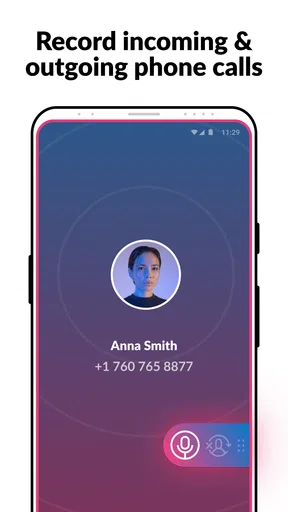

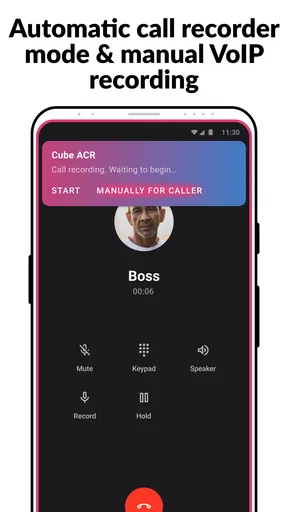
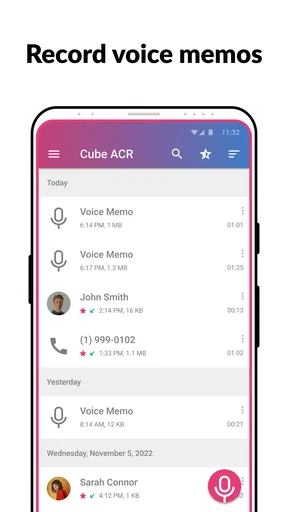
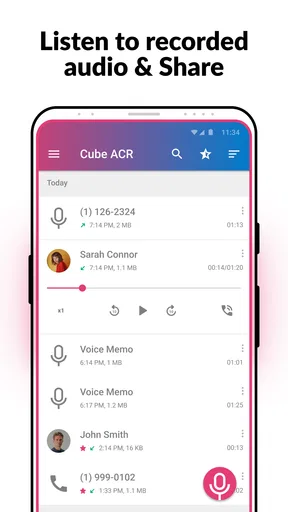
Our Review of Call Recorder - Cube ACR
 Analysis by Appyee
Ever found yourself in a situation where you needed to recall a conversation but couldn't quite remember all the details? That's where Call Recorder - Cube ACR comes into play. As someone who's always on the go and juggling multiple calls, I decided to give this app a whirl. Let me walk you through my experience with it.
Getting Started with Call Recorder - Cube ACR
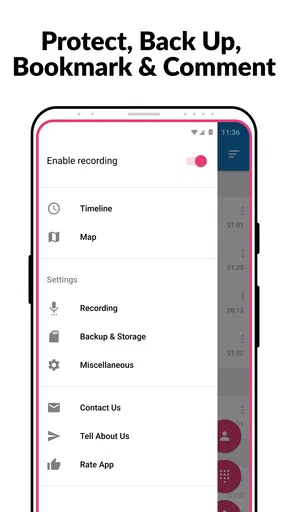
Once you download and install Call Recorder - Cube ACR, the setup process is pretty straightforward. The app offers a clean and intuitive interface, which is a breath of fresh air if you've ever dealt with clunky call recording apps before. It guides you through the permissions you need to grant for it to function smoothly. This includes access to your contacts and microphone, which makes sense given the app’s purpose.
Features Worth Talking About
One of the standout features of Cube ACR is its ability to record not just regular phone calls but also VoIP calls. This includes platforms like Skype, WhatsApp, and even Facebook Messenger. For someone who uses various communication apps, this is an absolute game-changer. You don't have to hop between different apps to get your calls recorded.
Another cool feature is the app's ability to automatically record calls from specific contacts. So, if you have that one client or family member whose conversations you always need to keep track of, Cube ACR has you covered. Just set it up once, and it handles the rest.
Performance and User Experience
Now, let's talk about how it performs. During my testing, the recordings were crisp and clear. There were no noticeable lags or quality drops, which is crucial when you’re trying to capture every detail of a conversation. The app also allows you to tweak the recording quality settings, which can help if you're working with limited storage space.
The user experience is seamless. Navigating through recordings is a breeze, thanks to the well-organized interface. You can sort and search for recordings by contact or date, which is a lifesaver when you have dozens of recordings to sift through.
Privacy and Security
In this digital age, privacy and security are top concerns for anyone using a recording app. Cube ACR takes this seriously. It offers a lock feature to keep your recordings safe from prying eyes. Plus, you can back up your recordings to cloud services like Google Drive, ensuring you never lose important data.
Final Thoughts
After spending some time with Cube ACR, I can confidently say it's a robust call recording solution that caters to both personal and professional needs. Whether you're a journalist needing to keep track of interviews or just someone who wants to remember every detail of important calls, this app is worth considering.
Just remember, recording calls without the other party's consent may not be legal in some regions, so make sure to check the laws applicable to your area. Overall, Call Recorder - Cube ACR delivers on its promises and is a solid choice for anyone in need of reliable call recording capabilities.
Verdict
Strengths of Call Recorder - Cube ACR
- High-quality audio recording.
- Supports multiple apps for recording.
- Easy-to-use interface.
- Automatic call recording option.
- Cloud backup available.
Limitations of Call Recorder - Cube ACR
- Limited features in free version.
- Some devices face compatibility issues.
- Occasional app crashes.
- Privacy concerns with sensitive data.
- Ads in the free version.
Similar Picks in This Category
View All
Google LLC4.0

Gboard - the Google Keyboard
Google LLC4.5

Google Play services
Google LLC4.3

Google Play Store
Google LLC4.9

Files by Google
Google LLC4.5

SHAREit: Transfer, Share Files
Smart Media4U Technology Pte.Ltd.4.3
Frequently Asked Questions
What is Call Recorder - Cube ACR and how does it work?
Call Recorder - Cube ACR is an advanced application designed to record phone calls and VoIP conversations on your Android device. It integrates seamlessly with popular apps like WhatsApp, Skype, and Viber. Once installed, it runs in the background and automatically records calls, which you can access and manage through its easy-to-use interface.
Is Call Recorder - Cube ACR free to use?
Call Recorder - Cube ACR offers both a free version and a premium version. The free version includes basic features such as automatic call recording and playback. However, the premium version unlocks advanced features like cloud backup, the ability to save recordings in different formats, and enhanced recording controls.
Is Call Recorder - Cube ACR compatible with all Android devices?
While Call Recorder - Cube ACR is compatible with most Android devices, some features like VoIP call recording may not work on all models due to hardware or software limitations. It is recommended to check the app's compatibility with your specific device before downloading. The developer's website provides a list of supported devices and known issues.
How does Call Recorder - Cube ACR ensure privacy and security of recordings?
Call Recorder - Cube ACR prioritizes user privacy and security. It allows you to store recordings locally on your device or back them up to the cloud with encryption. Users are encouraged to review their local laws on call recording to ensure compliance. The app also features a secure PIN lock to prevent unauthorized access to recordings.
Can I use Call Recorder - Cube ACR for recording VoIP calls?
Yes, Call Recorder - Cube ACR supports recording VoIP calls from popular platforms such as WhatsApp, Skype, Viber, and more. However, this feature may vary depending on your device's capabilities and Android version. The app provides detailed setup instructions to help you configure your device for optimal VoIP recording.
